Tech · US · comparison
Best Monitor Stand for Laptop Riser Under $50
Published May 24, 2026
Disclosure: This page may include affiliate links. We may earn a commission if you buy through them.
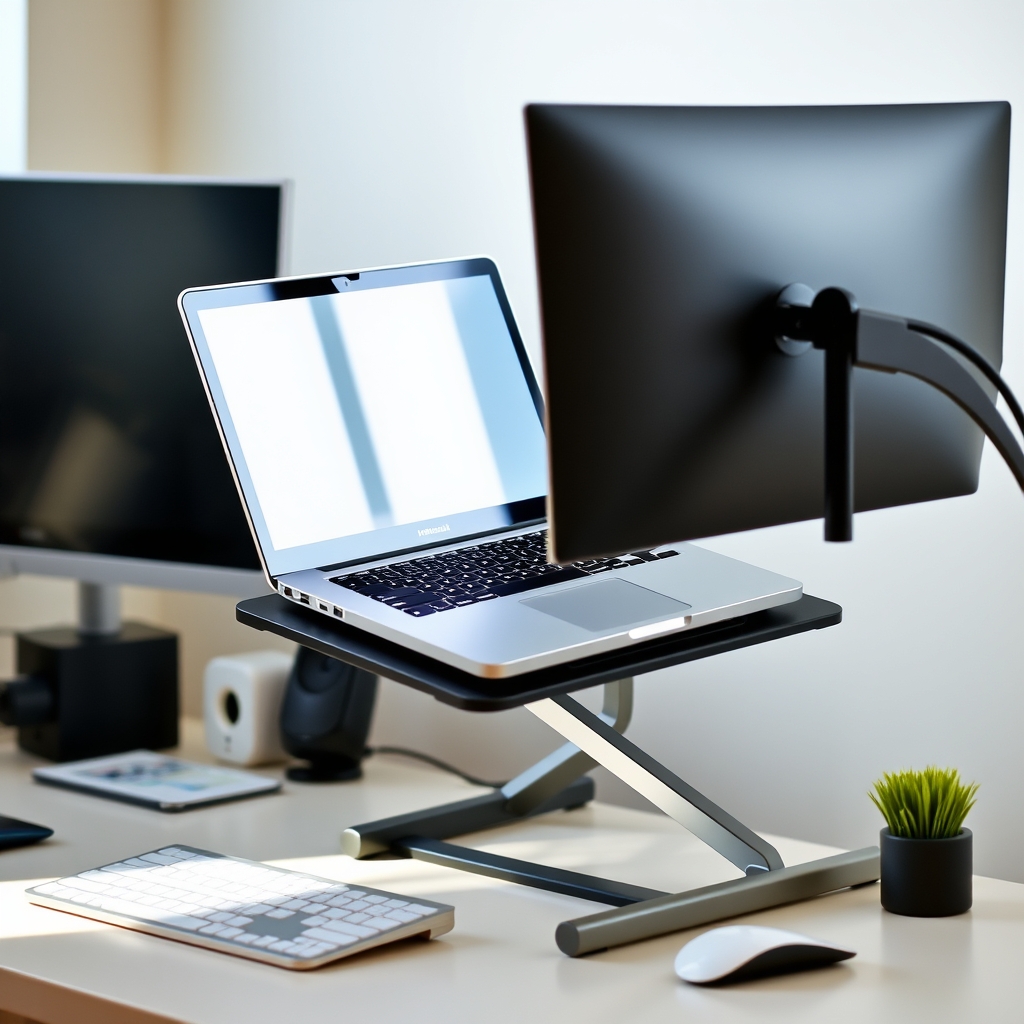
Upgrading your workspace doesn’t have to cost a fortune. A good laptop riser can significantly improve your posture and desk organization, especially when paired with an external monitor. We’ve evaluated several options under $50, focusing on adjustability, build quality, cable management, and compatibility to help you find the right fit for your needs. Our primary recommendation for a balance of features and value is the NULAXY Laptop Stand.
How We Compared
We assessed laptop risers based on the following criteria:
- Price Tier: Ensuring options fall under the $50 mark.
- Adjustability: Evaluating fixed vs. adjustable height and angle options.
- Build Material: Considering durability and stability (e.g., aluminum, steel, plastic).
- Cable Management: Assessing built-in features or ease of routing cables.
- Laptop Compatibility: Checking suitability for various laptop sizes and weights.
- Ergonomic Benefit: How well it promotes better posture and reduces strain.
Laptop Risers Under $50 at a Glance
| Option | Best For | Price Tier | Key Tradeoff | Dealbreaker |
|---|---|---|---|---|
| NULAXY Laptop Stand | Versatile use, frequent angle adjustments | Mid-range | Can be slightly heavier than minimalist stands | Limited built-in cable management |
| VIVO Single Laptop Stand | Budget-conscious, basic height elevation | Budget | Fixed height, less premium feel | Not ideal for users needing frequent angle changes |
| Rain Design mStand | Sleek aesthetics, MacBooks, fixed setup | Mid-range | Fixed height, higher price point within budget | Users needing adjustable height or angle |
| HumanCentric Laptop Stand | Minimalist desk setups, airflow | Mid-range | Fixed height, basic cable management | Limited adjustability |
| Amazon Basics Laptop Stand | Extreme budget, temporary use | Budget | Basic build quality, limited features | Not suitable for heavy or large laptops |
1. NULAXY Laptop Stand (Adjustable)
The NULAXY Laptop Stand is a strong contender for those seeking flexibility without exceeding the $50 budget. Its primary appeal lies in its adjustable design, allowing you to fine-tune both the height and angle of your laptop. This is crucial for achieving an ergonomic setup, especially when using an external monitor, as it helps align your screen at eye level. The stand is constructed from aluminum alloy, giving it a sturdy feel capable of supporting most laptops up to 15.6 inches, and some even larger ones depending on weight distribution. While it doesn’t have elaborate cable management systems, the design allows for some basic routing behind the stand. A common use case is for remote workers who frequently adjust their screen position throughout the day to combat fatigue or optimize viewing angles for different tasks.
2. VIVO Single Laptop & Notebook Stand (Adjustable)
For users prioritizing a budget-friendly yet functional solution, the VIVO Single Laptop Stand offers a decent adjustable height range. It’s designed to lift your laptop screen to a more comfortable viewing level, reducing neck strain. The build material is typically steel, providing a stable platform. Cable management is minimal, usually relying on the open design to allow for some cord routing. This stand is compatible with a wide array of laptops, generally up to 17 inches, though checking specific weight limits is advisable. A practical scenario for this stand is for students or home office users who need a simple, effective way to elevate their laptop for better ergonomics without investing heavily. It’s a no-frills option that gets the job done.
3. Rain Design mStand (Fixed, Premium)
The Rain Design mStand stands out for its premium build and minimalist aesthetic, often favored by MacBook users, though it’s compatible with many laptops. Constructed from a single piece of aluminum, it offers excellent stability and a sleek look that complements modern desk setups. Its fixed design means the height and angle are set, positioning the laptop screen at an optimal viewing height for many users, especially when paired with an external keyboard and mouse. Cable management is basic, with a cutout at the back for cords. While it doesn’t offer adjustability, its robust build and ergonomic angle make it a solid choice for those who prefer a permanent, stable setup and appreciate good design. A key tradeoff is its fixed nature; if you need to change the screen angle frequently, this might not be the best fit.
4. HumanCentric Laptop Stand (Fixed, Minimalist)
HumanCentric offers a minimalist fixed laptop stand that prioritizes airflow and a clean desk aesthetic. Made from durable materials like aluminum or steel, it provides a stable platform for your laptop. The design is open, allowing for excellent ventilation, which can be beneficial for laptops that tend to run hot. Cable management is typically handled by the open space beneath the stand, allowing for some basic routing. It’s compatible with most standard laptop sizes. This stand is ideal for users who have a dedicated external keyboard and mouse setup and want to position their laptop screen at a fixed, comfortable height. The main drawback is the lack of adjustability, making it less versatile for users who might need to change screen angles or heights often. It’s a good option for a permanent workstation.
5. Amazon Basics Laptop Stand (Fixed, Budget-Friendly)
The Amazon Basics Laptop Stand is the go-to for those on the tightest budgets. It offers a fixed-height elevation for your laptop, providing a basic ergonomic improvement over placing the laptop directly on the desk. The build material is usually aluminum or a sturdy metal, offering reasonable stability for its price point. Cable management is minimal, relying on the open design. It’s compatible with most laptops, but users should be mindful of the weight capacity and ensure it feels secure. This stand is best suited for users who need a temporary solution or have very light-duty needs, such as occasional use or for smaller, lighter laptops. The primary tradeoff is its simplicity and lack of adjustability, making it less ideal for long-term, intensive use.
Quick Picks by Scenario
- Most Versatile Adjustability: NULAXY Laptop Stand
- Best for Minimalist Aesthetics: Rain Design mStand or HumanCentric Laptop Stand
- Budget-Conscious Ergonomics: VIVO Single Laptop Stand
- Easiest to Set Up and Forget: Rain Design mStand
Who Should Skip This Comparison
- Users needing a laptop mount for a monitor arm: This comparison focuses on standalone risers, not mounts that attach to monitor arms.
- Those requiring extensive built-in cable management: While some options allow basic routing, dedicated cable management solutions are not the primary focus here.
FAQ
Q: Can a laptop stand improve my posture? A: Yes, by elevating your laptop screen to eye level, a riser can help you maintain a more neutral neck and spine position, reducing slouching and strain.
Q: Do I need an external keyboard and mouse with a laptop riser? A: For optimal ergonomics, yes. Using a riser positions your laptop screen higher, making the built-in keyboard and trackpad difficult to use comfortably for extended periods.
Q: Are adjustable laptop stands worth the extra cost? A: If you frequently change your working position or have specific ergonomic needs, the flexibility of an adjustable stand often justifies the slightly higher price.
Q: How much weight can these stands typically hold? A: Most stands under $50 can comfortably support laptops up to 15-17 inches, with weight capacities often ranging from 5 to 15 lbs. Always check the manufacturer’s specifications for the specific model.
Q: Can I use a laptop riser with a docking station? A: Yes, as long as the riser provides a stable platform and sufficient space for your laptop and docking station, it can be integrated into your setup.
Conclusion
Elevating your laptop with a riser under $50 is an achievable goal that can significantly enhance your workspace comfort and organization. For a blend of adjustability, build quality, and value, the NULAXY Laptop Stand is a top choice. If a fixed, sleek design is more your style, the Rain Design mStand offers premium feel. For the most budget-conscious, the VIVO stand provides essential ergonomic benefits. Choose the stand that best aligns with your specific needs for adjustability, aesthetics, and budget to create a more comfortable and productive workspace.
Laptop Risers Under $50 at a Glance
Amazon
Shop laptop stands on Amazon
laptop stand
Open offerAmazon
Shop ergonomic mice on Amazon
ergonomic mouse
Open offerAmazon
Shop monitor arms on Amazon
monitor arm
Open offerNULAXY Laptop Stand (Adjustable)
Ideal for remote workers who frequently adjust their screen position throughout the day to combat fatigue or optimize viewing angles for different tasks. Its adjustable design allows for fine-tuning both height and angle, crucial for achieving an ergonomic setup, especially when using an external monitor.
VIVO Single Laptop & Notebook Stand (Adjustable)
A practical scenario for students or home office users who need a simple, effective way to elevate their laptop for better ergonomics without investing heavily. Offers a decent adjustable height range to lift your laptop screen to a more comfortable viewing level, reducing neck strain.
Rain Design mStand (Fixed, Premium)
A solid choice for those who prefer a permanent, stable setup and appreciate good design, especially MacBook users. Its fixed design positions the laptop screen at an optimal viewing height for many users, particularly when paired with an external keyboard and mouse.
HumanCentric Laptop Stand (Fixed, Minimalist)
Ideal for users who have a dedicated external keyboard and mouse setup and want to position their laptop screen at a fixed, comfortable height. Prioritizes airflow and a clean desk aesthetic with its open design.
Amazon Basics Laptop Stand (Fixed, Budget-Friendly)
The go-to option for those on the tightest budgets looking for a basic, fixed laptop stand.
Visual Summary